My terminal has movie posters now
Inside TuiNime, an anime TUI in Rust: one event loop, background tasks, pictures made of text, and a release built from a git tag.
Terminals are very good at text. An anime browser is mostly pictures, search boxes and waiting for the network, which are three things text grids are not famous for.
TuiNime is my attempt at one anyway: a Rust TUI where you browse what’s trending, search as you type, pick an episode, and hand playback to mpv. The interesting part turned out to be everything that has to happen without freezing the screen.
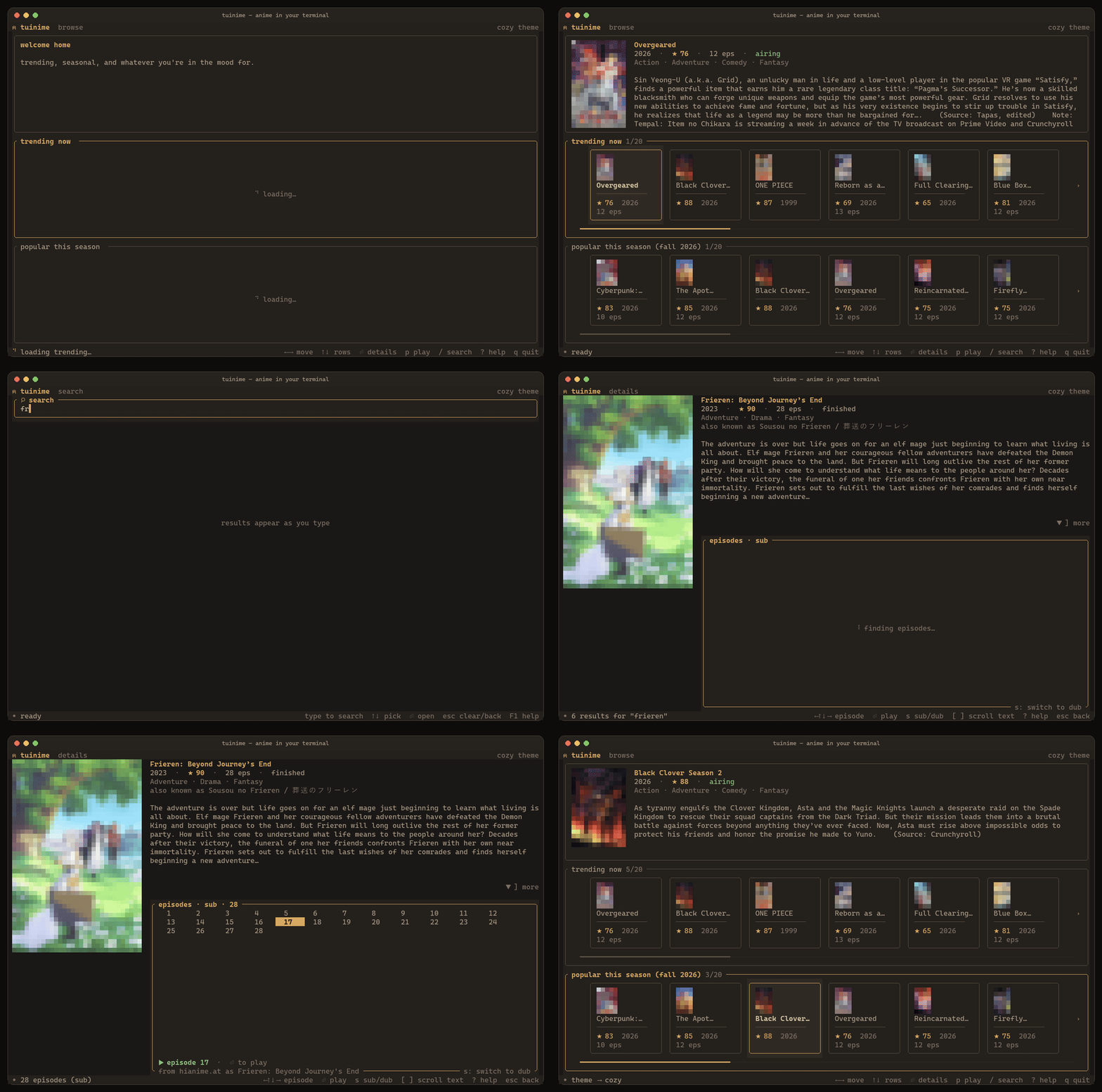
The shape of it
ratatui draws the interface, tokio runs the slow work, and mpv does the one job I have no business rewriting: playing video.
Never wait in the event loop
If the loop that reads the keyboard also waits for HTTP, a slow server means a dead keyboard. So every network call gets its own task, and the only way back is a message:
pub fn spawn_search(catalog: Catalog, tx: UnboundedSender<BgEvent>, seq: u64, query: String) {
    tokio::spawn(async move {
        let result = catalog.search(&query, 20).await.map_err(|e| format!("{e:#}"));
        let _ = tx.send(BgEvent::Search { seq, query, result });
    });
}
The main loop waits for whichever happens first, a result or some input:
// trimmed
let ev = tokio::select! {
    Some(bg) = app.next_background() => {
        app.on_background(bg).await;
        continue;
    }
    ev = events.next() => ev,
};
It’s the same idea as my API that never sends emails: accept the work, return straight away, deliver the result later. The “client” is just a person holding the down arrow.
Responses arrive in the wrong order
Live search waits for a 350 ms pause in typing before it sends anything. That cuts down on requests, but it doesn’t
order them: the search for fri can still finish after the search for frieren.
So each search carries the seq number you saw above, and a result with an old number is dropped:
if seq != self.search.seq {
    return; // superseded by a newer search
}
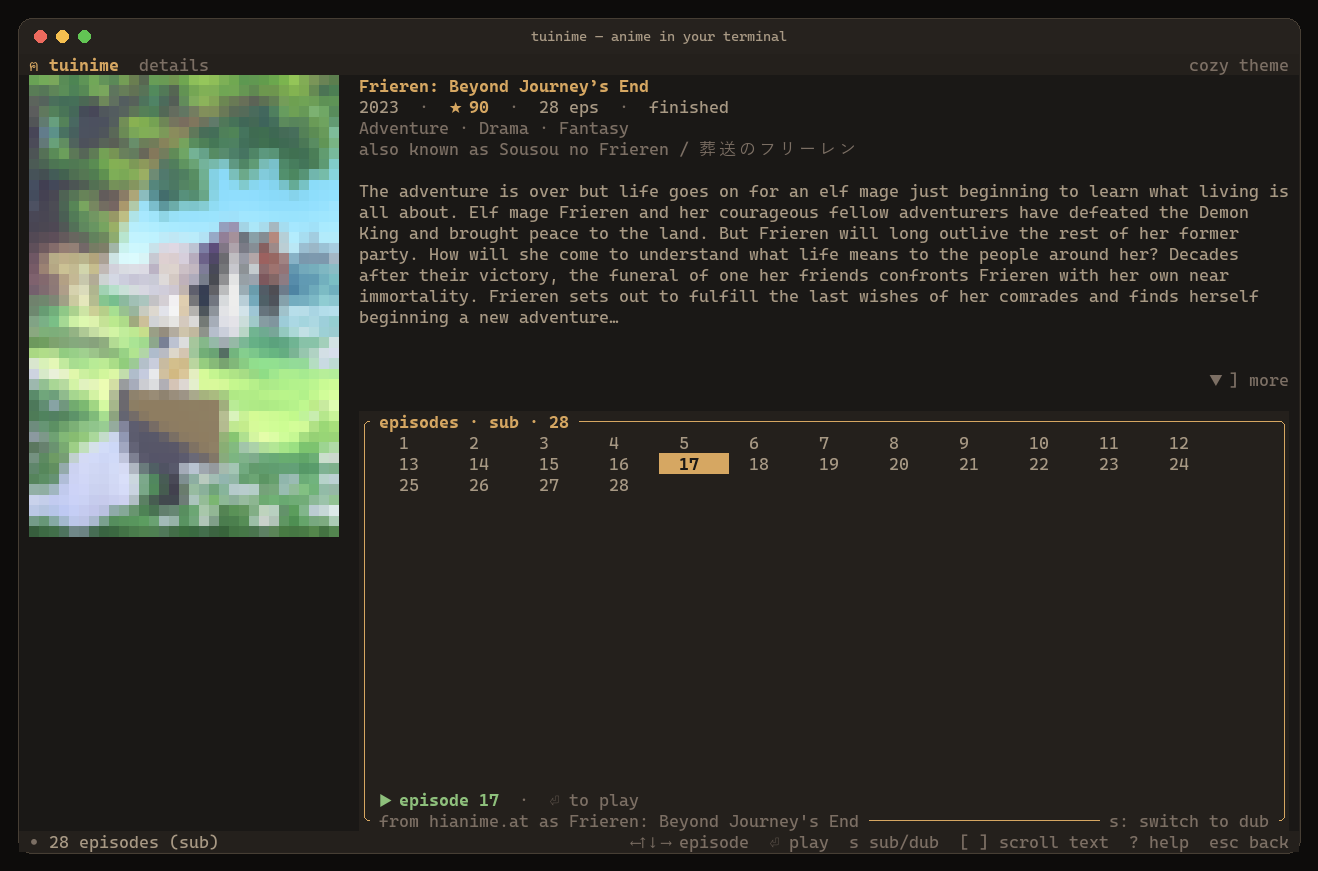
Pictures made of text
Some terminals can show real images, through the Kitty, Sixel or iTerm2 protocols. For the rest there is a lovely
trick: the character ▀ fills the top half of a cell. Give it a foreground and a background color and each cell
becomes two pixels.
TuiNime uses ratatui-image to ask the terminal what it supports at startup, with half-blocks as the fallback. Two details matter around it:
- Encoding is expensive, so encoded posters are cached by
(url, width, height)and not redone every frame. - Sixel pixels aren’t cells. ratatui erases by diffing cells, so it can’t see them. The screen is cleared whenever the view changes, or old posters would haunt the next one.
The same show has three names
AniList knows a show by its English, romaji and native titles. A provider usually knows one of them, and its IDs mean nothing to AniList. So TuiNime searches by each name, lowercases and strips the punctuation, and ranks what comes back:
| match | rank |
|---|---|
| exact | 3 |
| one is a prefix of the other | 2 |
| one contains the other | 1 |
| none of these | 0 |
Ties go to the closest length. It’s not clever, and that is what I like about it: when it picks wrong, I can see why.
Providers also go down, so they all sit behind one trait. If the first can’t produce a playable link, the next gets the same show and episode number, and the status bar says who failed.
Don’t print. Ever.
In a TUI, stderr and the interface share a screen, so one stray warning scribbles over the layout. TuiNime logs to a file instead, and a panic hook puts the terminal back before the error prints:
// trimmed
std::panic::set_hook(Box::new(move |info| {
    let _ = disable_raw_mode();
    let _ = execute!(std::io::stdout(), DisableMouseCapture, LeaveAlternateScreen);
    orig_hook(info);
}));
A crash should cost you the app, not the terminal.
Shipping is a git tag
dist generates the release workflow. Pushing v0.1.0 built binaries for
Windows, Linux and macOS, published them with checksums and installers, and updated my Homebrew tap.
You need mpv on your PATH. Then, on macOS or Linux with Homebrew:
brew install CyberSarvesh/tap/tuinimeOr on Windows, in PowerShell:
powershell -ExecutionPolicy Bypass -c "irm https://github.com/CyberSarvesh/TuiNime/releases/latest/download/tuinime-installer.ps1 | iex"TuiNime doesn’t host any video. The providers are unofficial third-party sites that I don’t control, so check what is licensed and legal where you live, and pay for the shows you love.
What I’d add next
- Decode posters off the render path. Network work is in the background, but decoding a cached image still happens while drawing.
- More package managers, so installing is one familiar command everywhere.
- Licensed sources, wherever one offers a way in for a client like this.
The general rule: the loop that draws the screen should never be the one doing the waiting.
The code is on GitHub. Issues, and corrections to my Rust, are welcome.